


TLV Bible
4.5168.00 Reviews
App Specs
- Version
- 4.3.2
- Updated On
- License
- Free
- Downloads
- 50,000+
- Developer
- Tree of Life Bible Society
- Categories
- Books & Reference
- Platform
- Android
Screenshots
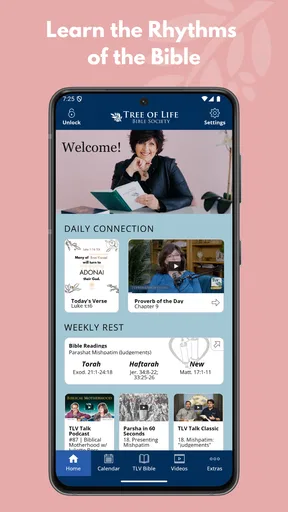
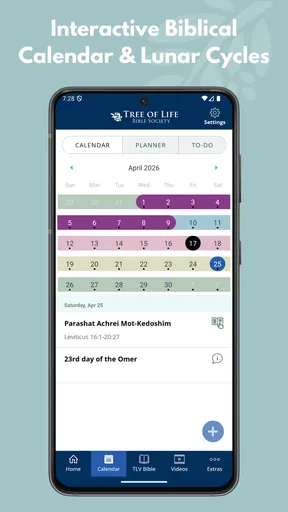
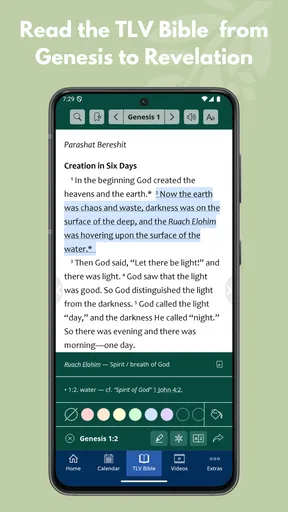
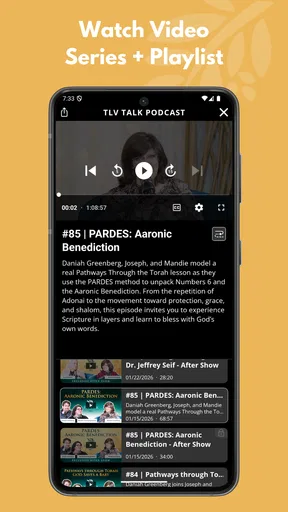
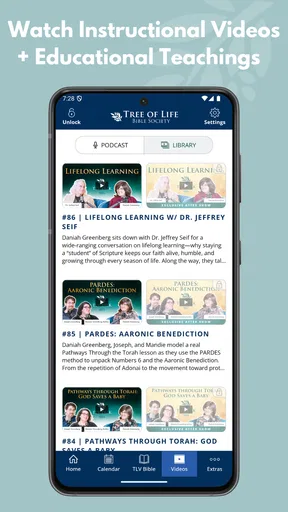
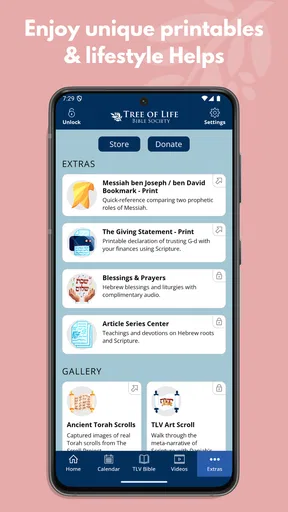
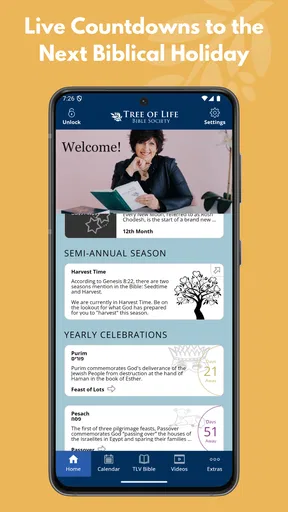
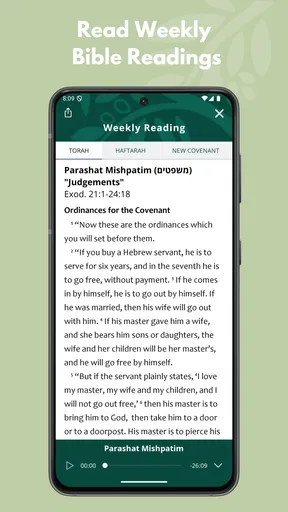
 Analysis by AppCompare
I approached TLV Bible as a reading and reference app rather than as a replacement for every Bible tool on my phone. Developed by Tree of Life Bible Society, it focuses on the Tree of Life Version and its presentation of Scripture through a Jewish perspective. That focus gives it a clear identity: it is most useful when I want to read the biblical text with attention to its Jewish context, wording, and names, not when I am looking for a huge library of translations or a full study platform.
The app belongs in the Books & Reference category, is free to install, and is suitable for Everyone. Its store summary describes Scripture through Jewish eyes, which is a concise way to understand the central experience. I found the strongest reason to keep it installed was not the novelty of having another Bible on my device, but the ease of returning to one particular translation whenever I wanted to compare its phrasing with a more familiar edition.
How I use TLV Bible in a normal reading routine
I use TLV Bible most easily when I decide what I want to read before opening it, then give the passage a calm first read before checking any wording that stands out. That routine keeps a short session focused and gives me a clearer sense of the passage as a whole. If navigation or loading interrupts that rhythm, I first check the reference and my connection, then try again rather than assuming the text itself is the problem.
A simple baseline workflow that makes sense
My most practical routine starts with one passage instead of trying to explore the whole app at once. I open the Bible, go to the book and chapter I want, and read without immediately jumping into comparisons or searches. That first pass matters because the TLV is designed to let the Jewish setting of the text remain visible in the reading experience. If I pause every few lines to analyze alternatives, I lose the rhythm that makes a translation meaningful.
After reading, I return to the lines that felt unfamiliar or especially distinctive. This is where the app works well as a reference companion. I can use it when preparing for personal study, checking a passage mentioned in a discussion, or reading a chapter before a small group meeting. The workflow is deliberately modest: open the text, read in context, revisit key verses, and make a note elsewhere if I need a longer record of my thoughts.
That last point is important. I would not treat this as a complete note-taking or research environment. Its value is the text itself and the perspective built into that text. For detailed cross-referencing, extensive annotations, original-language tools, or a large collection of study resources, I would reach for a dedicated Bible study platform instead. TLV Bible is easier to understand when viewed as a focused reading tool.
A realistic everyday example is a Sunday morning when I have ten quiet minutes before leaving home. I can read the selected passage in the TLV, look again at a verse whose wording differs from what I usually hear, and carry that observation into the service or conversation. The app does not need to become a long research session to be useful. Its compact purpose suits short, repeatable reading habits.
Worth Reading Before You Choose

EA SPORTS FC Mobile 26 Is a Bigger Football Game, but It Takes Time

Flipboard Shows What News Apps Must Do Beyond the Feed

Switching to Android Auto Means Rethinking Your Driving Routine

Google Calendar Makes a Crowded Week Easier to Manage

Ludo King Makes the Most of the Minutes Between Plans

Baby Panda World Brings Quick Play to Modern Phones, but Its Game Library Feels Busy
Why the translation’s perspective changes the experience
The Jewish perspective is not just a label I would skim past on a store page. It affects how I approach the text. Familiar passages can feel different when names, expressions, and cultural framing are presented in a way that keeps their Jewish roots more visible. For readers who already know another English Bible, this makes TLV Bible particularly suitable for comparison rather than simple replacement.
I found that comparison works best when I read a whole paragraph or scene first. Looking at isolated verses can make every wording difference seem more dramatic than it is. Reading the surrounding passage helps me decide whether a distinctive term clarifies the setting, changes the tone, or simply requires a moment of adjustment. That habit turns the app into a useful second viewpoint instead of a source of constant distraction.
It is also a good fit for someone beginning to explore the relationship between Christian reading traditions and Jewish biblical context. I would still recommend using a trusted study resource alongside it when historical or theological questions become complex. The app can open the door to those questions, but the translation alone should not be expected to answer all of them.
Settings and small choices worth checking first
Before settling into regular use, I would spend a minute looking through the available reading settings on the device. Text size is the first practical check. A Bible app is much easier to return to when the page is comfortable at the distance where I normally hold my phone. I also prefer to test the reading view during both a quick glance and a longer session, because a layout that looks fine for one verse may feel tiring across a chapter.
Display preferences are worth treating as part of the reading method, not as decoration. If I read at night, I want the screen to be calm rather than visually demanding. During the day, I may prefer a brighter, more spacious presentation. The best choice depends on the phone and the room, so I would adjust it before judging the app’s readability. A comfortable setup removes friction that otherwise makes me postpone reading.
I also check how easily I can move between books and chapters. This sounds basic, but navigation determines whether the app works during a short break. If I am preparing for a group discussion, I do not want to spend the available time repeatedly hunting for a reference. I recommend practicing the route to a familiar passage first, then using that same pattern whenever a reading plan calls for a new chapter.
One useful discipline is to separate reading settings from interpretation. I can make the text larger, change the appearance, or choose a more comfortable viewing mode without assuming that the app’s presentation has changed the meaning of the passage. Keeping those two decisions separate helps me evaluate the translation on its own terms.
Faster patterns for people who return every day
Experienced use is less about discovering a secret function and more about removing repeated decisions. I keep a short list of passages I am currently studying outside the app, then open TLV Bible with a specific destination in mind. That is faster than launching it with no plan and browsing until something catches my attention. The app becomes part of a routine rather than another source of scrolling.
For a reading plan, I use a consistent sequence: read the chapter once without interruption, revisit the central section, and then compare only the verses that genuinely need attention. This prevents the familiar trap of comparing every line before understanding the passage as a whole. With a translation that has a distinct perspective, context-first reading is especially helpful.
Another efficient pattern is to use it as the second stop in a study session. I may begin with the version used by my church or study group, then open TLV Bible to notice where the wording or naming draws my attention. That order keeps the discussion practical while still giving me a different lens. Reversing the order can also be useful when I want to begin with a Jewishly informed reading and then see how another translation handles the same passage.
I would not rely on memory for chapter locations when moving quickly. Instead, I use the book-and-chapter structure deliberately and take a second to confirm the reference before reading. This small habit prevents a surprisingly common mistake: opening a nearby chapter, reading with confidence, and only later realizing that the passage is not the one intended.
When I want to share an observation, I record the reference and my own comment in a separate notes system rather than assuming the Bible app should hold the entire study history. That keeps my notes portable and makes the app’s role clear. TLV Bible supplies the reading experience; my notes preserve the questions, applications, and follow-up sources that grow around it.
Where the free model is generous and where it may matter
The app is free to install, which makes it easy to try without committing to a purchase. It also includes in-app purchases ranging from $5.99 to $49.99 per item. I would approach those options as something to inspect before buying, especially if I only need the basic reading experience. The free starting point is enough to decide whether the translation and interface suit my habits.
I would not assume that every reader needs to spend money simply because purchase options appear. Someone who wants a focused way to read the TLV can begin with the free app and judge its usefulness over several sessions. A more committed user may find additional paid material worthwhile, but the decision should depend on the specific resource offered and how often it will be used, not on the presence of an upgrade prompt alone.
This is also where the app differs from many broad Bible platforms. Larger alternatives often compete through a wide range of translations, study notes, devotional plans, audio, community tools, and research features. TLV Bible is more narrowly defined. That can feel refreshing if I want less clutter, but limiting if I expect one app to cover reading, scholarship, journaling, and group coordination.
Advanced use: knowing the boundaries before relying on it
The main limitation is not that the app fails at its purpose; it is that its purpose is narrower than the expectations created by modern all-in-one Bible software. I would skip it as my primary choice if I need sophisticated study tools, a broad translation comparison workspace, or a deep personal library inside one application. In those situations, a larger reference app is likely to save time.
I would also be cautious about using any single translation as the only voice in a difficult passage. TLV Bible can give me a valuable perspective, particularly when I am paying attention to Jewish context, but comparison remains important for serious interpretation. The most responsible workflow is to let this app contribute a distinct reading and then consult other trusted resources when the wording raises a substantial theological, historical, or linguistic question.
Another trade-off is focus versus breadth. The app’s identity helps me stay with one translation instead of endlessly switching editions, yet that same focus may frustrate a reader who wants immediate access to many versions. Before installing, I would ask myself what I actually want during a typical session. If the answer is “read the TLV clearly and return to it often,” the focus is a strength. If the answer is “research every possible rendering in one place,” it is probably not the right tool.
Device compatibility is also straightforward: the current version is 4.3.2 and requires Android 7.0 or later. That makes it accessible on many older Android phones, although I would still keep the app updated when an update is available through the normal store process. A Bible app is something I may use for years, so stable access matters more to me than chasing every new feature.
Who will get the most from this app?
I would recommend TLV Bible to readers who specifically want the Tree of Life Version, people interested in Scripture through a Jewish lens, and anyone who values a focused companion for comparison reading. It can also suit someone who feels overwhelmed by large Bible platforms and would rather begin with a clear, single-translation experience.
It is less suitable for a reader who mainly wants devotional reminders, extensive built-in commentary, a broad academic toolkit, or a complete church-study workspace. Those needs do not make the app poor; they simply point toward a different category of tool. I would rather be clear about that distinction than praise a focused Bible reader for features it was never meant to replace.
The app’s public response is encouraging without being a reason to ignore personal fit. It holds a 4.5 average from around 579 ratings, with about 168 written reviews, and has passed 50 thousand installs. Those figures suggest that it has found a real audience, but my decision would still come down to the translation, the reading flow, and whether the narrower scope matches my routine.
My verdict after building a repeatable habit
TLV Bible works best when I give it a defined job: read the Tree of Life Version, notice how its Jewish perspective shapes the wording, and use that perspective to deepen comparison with other trusted resources. Its free entry point makes experimenting easy, while the focused design keeps a short reading session from turning into an unnecessary research project.
My strongest recommendation is to use it consistently rather than occasionally. Read a passage in context, adjust the display until it feels natural, return to meaningful verses, and keep longer reflections in a separate notes system. That workflow brings out the app’s real value without pretending it is a complete study library.
In the end, I would keep TLV Bible on my phone if I wanted this particular translation close at hand. I would not make it my only Bible resource, and I would not choose it for advanced research alone. But for readers who want a clear, accessible way to encounter Scripture through Jewish eyes, it offers a purposeful experience with enough flexibility to become part of an everyday reading habit.
Tree of Life Bible Society has given the app a clear center, and that clarity is what I appreciate most. Instead of trying to be everything, it gives me one distinctive way to read. For the right reader, TLV Bible is a useful second perspective, a practical daily reader, and a good starting point for more thoughtful study.
Pros
- Clear
- readable Bible text designed for everyday study.
- Useful search tools help locate verses and passages quickly.
- Audio reading can make listening during commutes or quiet time convenient.
- Bookmarks and notes support personal study and reflection.
- Works well for readers seeking a traditional English Bible translation.
Cons
- Some features may require an internet connection or additional downloads.
- The traditional language may feel less accessible to modern readers.
- Audio availability and quality can vary between books or editions.
- Study tools may be more limited than those in larger Bible apps.
- Ads or upgrade prompts may interrupt use
- depending on the app version.
FAQs for TLV Bible
What is TLV Bible, and what can I use it for?
TLV Bible is a digital Bible app centered on the Tree of Life Version, a translation that aims to preserve the Jewish context, names, expressions, and cultural background of the Scriptures. After installing it, users can read biblical books, search for passages, bookmark verses, and use the app for personal study, devotional reading, or church preparation, depending on the features available in their version.
Is TLV Bible free to download and use?
The TLV Bible app may be available as a free download, but the exact features and pricing can vary between Android and iOS, as well as between different editions of the application. Before installing, check the store listing for advertisements, optional purchases, subscriptions, or premium study tools. It is also worth reviewing the permissions requested and the developer’s privacy information.
Does TLV Bible work offline?
Offline access depends on how the particular TLV Bible app is designed. Some versions allow the biblical text to remain available after installation, while others may require an internet connection for certain content, audio, synchronization, or additional study resources. If offline reading is important to you, verify this detail in the app description and test a passage after temporarily disabling your connection.
What features are included in the TLV Bible app?
Common features may include browsing by book and chapter, keyword or verse search, adjustable text size, bookmarks, highlights, notes, reading history, and sharing selected passages. Some editions can also offer reading plans, night mode, audio Bible content, cross-references, or synchronization between devices. The exact feature set should be confirmed on the relevant Google Play or App Store listing.
Is TLV Bible suitable for beginners and experienced Bible readers?
TLV Bible can be useful for both beginners and experienced readers, particularly for people interested in reading Scripture with stronger attention to its Jewish setting and terminology. Beginners may appreciate straightforward navigation and searchable text, while experienced users can compare passages and maintain notes or highlights. However, readers seeking extensive commentaries, original-language tools, or advanced study resources should check whether those tools are included.


